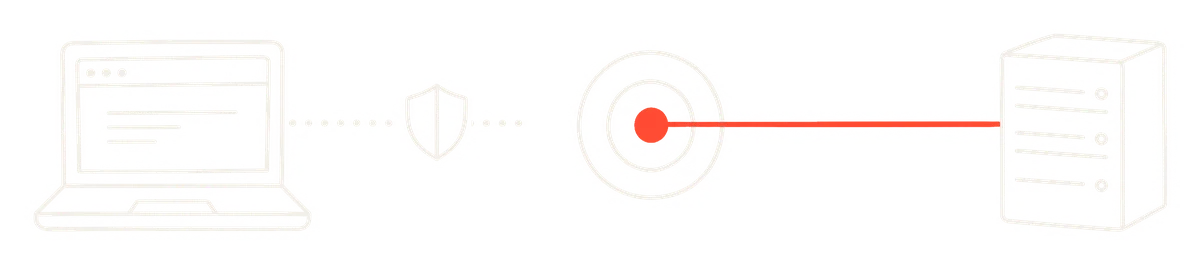
Your Pixel is missing sales.
Not because it's broken. Because it can't see everything anymore. Ad blockers stop it. iPhones limit it. Browsers clear its cookies after a few days.
Every sale it misses is a sale Meta never learns from.
The Conversions API is the fix. Here's what it is, how it works, and how to tell if yours is actually doing its job.
The short version
The Meta Conversions API (CAPI) sends your conversions to Meta from your server, not just from your visitor's browser.
The Pixel reports from the browser. CAPI reports from your server. Run both, and Meta hears about far more of your sales.
That's the whole idea. Everything else is detail.
The signal gap
The Pixel is a snippet of code in your visitor's browser. When someone buys, it tells Meta.
That worked well for years. Then three things happened:
- Ad blockers went mainstream, and many block the Pixel outright.
- Apple shipped App Tracking Transparency in 2021, and Safari shortened how long cookies survive.
- Privacy browsers and extensions started stripping the identifiers the Pixel depends on.
The result is what I call the signal gap: the difference between the sales that happened and the sales Meta heard about.
Signal gap = real orders - orders Meta saw
The gap costs you twice. Your reports undercount. And Meta's algorithm learns from the buyers it can see, so a blind spot makes it worse at finding new ones.
Meta can only find more of the people it knows bought.
How CAPI closes it
When someone buys, your server already knows. It just processed the order.
CAPI lets your server tell Meta directly: a purchase happened, at this time, worth this much, from someone with this email address, scrambled before it leaves.
It's a server talking to a server. There's no browser in the middle to block it.
Here's the thing: CAPI doesn't replace the Pixel. Meta recommends running both. The browser catches signals your server never sees, like the ad click that started the visit. The server catches what the browser drops.
What Meta learns = Pixel events + server events - duplicates
Deduplication: the part people get wrong
Run both, and the same purchase can arrive twice: once from the browser, once from the server.
Count it twice and your ROAS looks fantastic. Your decisions get worse.
Meta prevents this with deduplication. If both sources send the same event with the same ID, Meta keeps one. Two rules:
- Same event name. "Purchase" from the browser, "Purchase" from the server.
- Same event ID. Usually the order number, sent by both.
You'll know quickly if this is broken. Ads Manager will suddenly report more purchases than your store has orders.
If Meta reports more sales than your bank does, check deduplication first.
Pool rule 006Screenshots aren't results. P&L or it didn't happen.
Event Match Quality: the score to watch
Sending an event isn't enough. Meta has to match it to a real person on Facebook or Instagram.
It matches using the customer details you send along: email, phone, name, city. It also uses browser data like the IP address, the user agent, and two IDs Meta stores in cookies, called fbp and fbc. Personal details are hashed (SHA-256) on your side, so Meta compares fingerprints, never plain text.
Events Manager grades how well this works with Event Match Quality, a score out of 10 for each event.
Better matching → more attributed sales → faster learning
To raise it:
- Send email and phone with every purchase you can. They're the strongest matches.
- Pass the fbp and fbc IDs from the browser to your server, so server events carry them too.
- Include the customer's IP address and user agent.
Focus on your Purchase event. It's the one Meta optimizes toward, and the one worth getting right first.
Four ways to set it up
Ordered from easiest to most flexible:
1. A platform integration. Shopify, WooCommerce, BigCommerce and most big platforms have it built in. On Shopify, open the Facebook & Instagram app and set customer data sharing to Enhanced or Maximum. Maximum shares the most, which helps matching.
2. The Conversions API Gateway. Meta's no-code option, set up from Events Manager. It runs on a cloud server, so expect a small monthly hosting bill.
3. Server-side Google Tag Manager. A server container forwards your events to Meta. Very flexible, but it needs hosting and someone who knows GTM.
4. A direct integration. Your developers call the API from your backend. The most control, and the most work.
Pick the simplest option your platform supports. A working integration beats a perfect one that's half finished.
How to check it's working
Ten minutes in Events Manager:
- Connection method. Open your Purchase event. You want to see both Browser and Server listed.
- Deduplication. The event details show whether browser and server events are being matched up. Fix any warnings there first.
- Match quality. Check the Event Match Quality score for Purchase.
- A live test. Use the Test Events tool, place a test order, and watch the server event arrive.
- A sanity check. Compare a week of Meta-reported purchases against real orders. They won't match exactly, because attribution windows differ. They should be close, never double.
What CAPI won't do
CAPI is plumbing. Good plumbing, but plumbing.
- It won't fix ads nobody stops for.
- It can't match an event that carries no identifiers at all.
- It doesn't override consent. If a visitor opts out, respect that on the server too.
CAPI improves the signal. The creative still does the selling. If your account is starving for new ads, no amount of tracking will save it. More on that in why most accounts have a creative volume problem.
Quick answers
Is the Conversions API free? The API is. Platform integrations usually are too. The Gateway and server-side GTM come with hosting costs.
Do I still need the Pixel? Yes. Run both, and deduplicate.
Does CAPI work for lead generation? Yes, and it's where it shines. Send leads from your CRM, then later stages like "qualified" or "won", so Meta learns which leads turn into customers. Pair it with fast follow-up, which I covered in the speed-to-lead piece.
What happened to offline conversions? Meta shut down the separate Offline Conversions API in 2025. Offline and CRM events now go through the Conversions API.
How fast will I see results? The data improves the day it's live. The algorithm needs its usual learning time to use it.
The one-line version
The Pixel tells Meta what the browser saw. The Conversions API tells Meta what actually happened. Send both.